

Three tools, one add-in
Everything you need to prepare compliant documents, built right into your Word ribbon.
Health Check
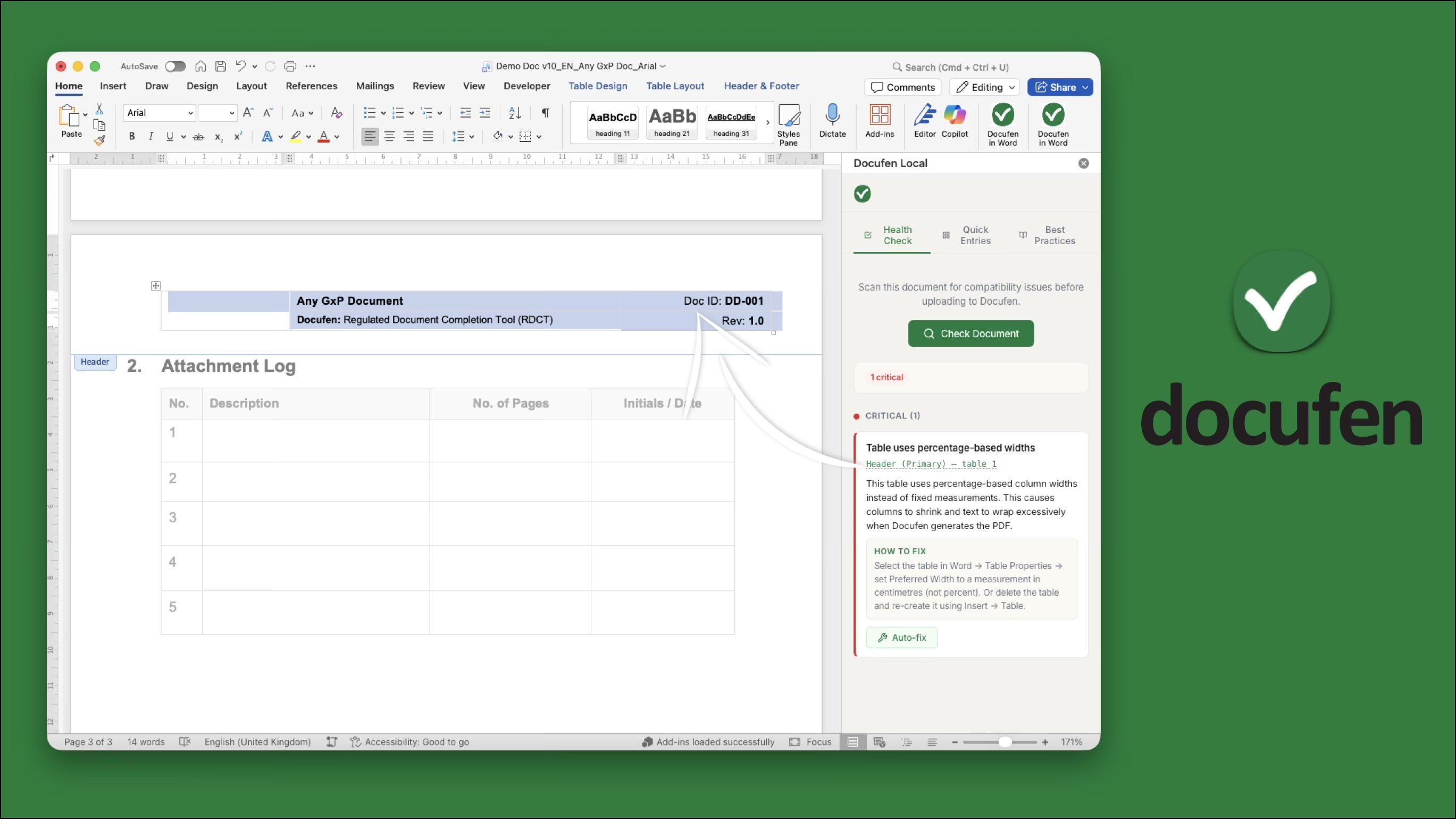
Scan your document in one click and get a clear report of anything that may cause rendering issues when uploaded to Docufen. Findings are grouped by severity — critical, warning, and informational.
Quick Entries
Insert pre-formatted GxP content blocks directly into your document at the cursor position — decision fields, approval tables, revision history, and change control tables.
Best Practices
A built-in reference of authoring guidelines that help you create documents optimised for Docufen from the start — headings, fonts, tables, images, and more.
Catch issues before they reach Docufen
The health check scans your document for seven categories of compatibility issues, each with clear descriptions and actionable guidance.
Table widths
Detects percentage-based table widths that can render inconsistently, with a one-click auto-fix to convert them to fixed widths
Merged-cell tables
Flags tables where merged cells combined with auto-width columns may not resolve correctly
Floating images
Identifies images set to wrap around text, which may be repositioned or lost during conversion
Embedded OLE objects
Flags incompatible embedded elements like Excel sheets, Visio diagrams, and charts
Circle instructions
Detects paper-based "circle the applicable option" instructions that require specific handling for digital completion
Content controls
Identifies legacy and rich-text content controls that may interfere with Docufen's completion layer
Oversized images
Warns when images exceed recommended dimensions, which can affect page layout and processing speed
Insert GxP content blocks in one click
Pre-formatted content blocks ready for digital completion — no more copy-pasting from templates.
Decision fields
Yes/No, Met/Unmet, Pass/Fail, and Complies/Does Not Comply — each with checkbox formatting ready for digital completion
Approval table
Signature block with Role, Name, Signature, and Date columns, pre-filled with Prepared by, Reviewed by, and Approved by
Revision history
Version tracking table with Version, Date, Author, and Description of Change columns
Change control
Change documentation table with Change Control #, Date Raised, Description, Impact Assessment, and Approved By columns
Author documents the right way from the start
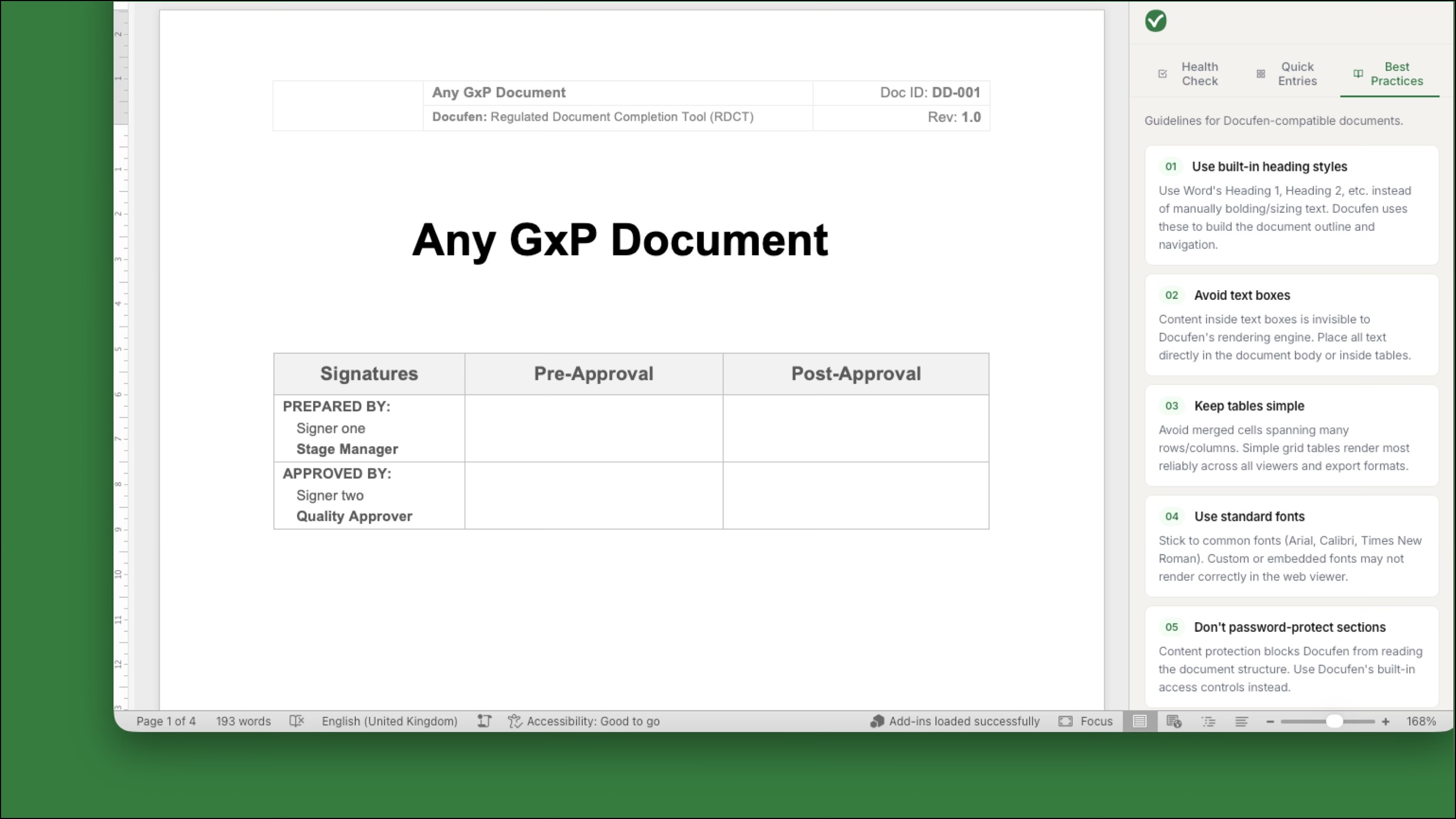
Use built-in heading styles — Docufen uses Word's heading hierarchy for navigation and outlines
Avoid text boxes — content inside text boxes is invisible to Docufen's rendering engine
Keep tables simple — simple grid tables render most reliably across all viewers and export formats
Use standard fonts — stick to Arial, Calibri, or Times New Roman for correct rendering
Don't password-protect sections — use Docufen's built-in access controls instead
Embed images, don't link them — linked images won't display when viewed in Docufen
How to use it
Open any Word document you intend to upload to Docufen
Click the Docufen button in the Home ribbon
Use the Health Check tab to scan and fix compatibility issues
Use Quick Entries to insert pre-built GxP content blocks
Refer to Best Practices for authoring guidance
Upload your document to Docufen with confidence
Built for regulated industries
Designed for quality assurance teams, document controllers, and validation engineers working under GxP, 21 CFR Part 11, EU Annex 11, and TGA regulatory frameworks. It fits naturally into your document authoring workflow without requiring any change to your existing SOPs or document templates.